Git clone is like making a same copy of a project. It lets you copy all the files and history from someone else’s project onto your computer. This project could be on your computer, or it could be on the internet. After you use git clone, you have your own copy of the project to work on.
Clone a repository
- 1.On GitHub.com, navigate to the main page of the repository.
- 2. Above the list of files, click Code.

3. Copy the URL for the repository.
- To clone the repository using HTTPS, under “HTTPS”, click .
- To clone the repository using an SSH key, including a certificate issued by your organization’s SSH certificate authority, click SSH, then click .
- To clone a repository using GitHub CLI, click GitHub CLI, then click .

4. Open Git Bash.
5. Change the current working directory to the location where you want the cloned directory.
6. Type git clone, and then paste the URL you copied earlier.
git clone https://github.com/YOUR-USERNAME/YOUR-REPOSITORY
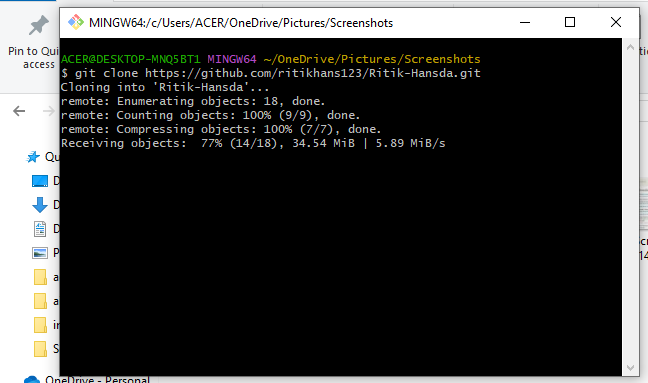
7. Press Enter to create your local clone.
$ git clone https://github.com/YOUR-USERNAME/YOUR-REPOSITORY
> Cloning into `Spoon-Knife`...
> remote: Counting objects: 10, done.
> remote: Compressing objects: 100% (8/8), done.
> remove: Total 10 (delta 1), reused 10 (delta 1)
> Unpacking objects: 100% (10/10), done.