- An HTML paragraph is defined by the
- tag. It serves two main purposes:
- Structurally: It tells the browser that the enclosed text forms a distinct block of content, separate from other paragraphs or elements. This helps with page layout and accessibility.
Visually: Browsers typically add some space before and after a - tag, creating a visual separation between paragraphs and making the text easier to read.
Here’s how to use the <p> tag:
- Place the opening
<p>tag before your paragraph text. - Add your paragraph text between the
<p>and</p>tags. - Close the paragraph with the
</p>tag.
Explain:-
<!DOCTYPE html>
<html>
<body>
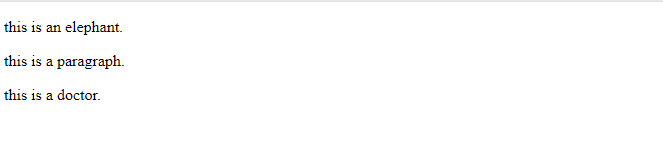
<p> this is an elephant.</p>
<p>this is a paragraph.</p>
<p>this is a doctor.</p>
</body>
</html>
Output
HTML Styles
Styling HTML elements:
Inline styling: This is achieved using the style attribute directly on an HTML element. It allows you to set individual styles for specific elements, but can be messy and hard to maintain.
Internal stylesheets: These are defined within the section of your HTML document using the <style> tag. This allow you for multiple elements and keep your code cleaner. External stylesheets: These are stored in separate.css files and linked to your HTML document using the tag. This is the preferred approach for large or complex websites as it promotes code reusability and maintainability.