How do you include PHP in HTML?
PHP file into the HTML code by using two keywords that are ‘Include’ and ‘Require’. PHP include() function: This function is used to copy all the contents of a file called within the function, text wise into a file from which it is called. This happens before the server executes the code.

Embedding PHP in HTML
Embedding PHP in HTML refers to the practice of incorporating PHP (Hypertext Preprocessor) code within HTML documents to create dynamic and interactive web pages. PHP is a server-side scripting language that is commonly used for web development.
<!DOCTYPE html>
<html lang="en">
<head>
    <meta charset="UTF-8">
    <meta name="viewport" content="width=device-width, initial-scale=1.0">
    <title>PHP Embedded in HTML</title>
</head>
<body>

    <h1>Welcome to our website</h1>

    <?php
        // PHP code embedded in HTML
        $currentDate = date("Y-m-d");
        echo "<p>Today's date is: $currentDate</p>";
    ?>

    <p>This is a paragraph below the PHP code.</p>

</body>
</html>
Output

Inline PHP code
Inline PHP code refers to the practice of including short sections of PHP directly within the HTML content of a web page. This is often done for smaller, specific tasks or dynamic content that doesn’t require a separate code block. In inline PHP, you use the tags to enclose the PHP code directly within the HTML.
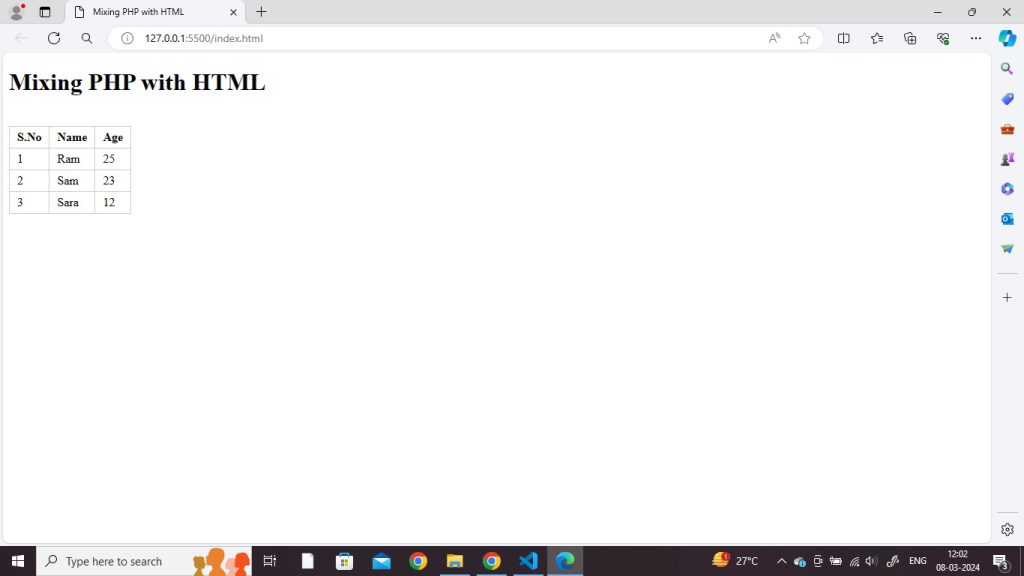
Mixing PHP and HTML
PHP code is normally mixed with HTML tags. PHP is an embedded language, meaning that you can jump between raw HTML code and PHP without sacrificing readability.
In order to embed PHP code with HTML, the PHP must be set apart using PHP start and end tags.
Code
<!DOCTYPE html>
<html lang="en">
<head>
  <meta charset="UTF-8">
  <meta http-equiv="X-UA-Compatible" content="IE=edge">
  <meta name="viewport" content="width=device-width, initial-scale=1.0">
  <title>Mixing PHP with HTML</title>
</head>
<style>
  table{
    border: 1px solid #ccc;
    border-collapse: collapse;
  }
  td,th{
    border: 1px solid #ccc;
    padding:5px 10px;
  }
</style>
<body>
<h1>Mixing PHP with HTML</h1>
<table>
  <thead>
    <tr>
      <th>S.No</th>
      <th>Name</th>
      <th>Age</th>
    </tr>
  </thead>
  <tbody>
    <tr>
      <td>1</td>
      <td>Ram</td>
      <td>25</td>
    </tr>
    <?php echo "
      <tr>
          <td>2</td>
          <td>Sam</td>
          <td>23</td>
       </tr>
      ";
    ?>
     <tr>
      <td>3</td>
      <td>Sara</td>
      <td>12</td>
    </tr>
  </tbody>
</table>
</body>
</html>
Output